Switch to Digital Signing for Student Progress Reports
 Evans Omondi Otieno
TL;DR: Digital signing lets parents and students sign progress reports from any phone or computer, so the school gets every signature back without paper. You save the report as a template, send it to a whole class at once, and let reminders chase late forms. Our page on eSignature for educational institutions shows the full set of school features.
A teacher sends 28 progress reports home on Friday. By Wednesday, 9 have come back signed. Two are lost, one has a coffee stain, and the rest are still in backpacks.
The report itself took an afternoon to write. Getting it back signed takes a week of reminders. This guide shows how digital signing closes that gap, from setup to the parent’s last click.
What is digital signing for student progress reports?
Digital signing means a parent or student signs a progress report on a screen instead of on paper. We send them a secure link, they sign, and the signed copy comes straight back to the school.
Think of a library book. The library knows who has it and the due date, and a note goes out once it is late. Digital signing gives each report the same tracking.
For a school, each report then has a status: sent, viewed or signed. Staff can see at a glance which families still need a nudge.
Why do schools ask families to sign progress reports?
A signature shows that a parent or student has seen the report. With that record in place, a school can show families were told about grades or concerns.
Paper makes this record fragile. Forms get lost on the way home, and staff match returned slips to class lists by hand. A missing slip leaves no proof either way.
What does student electronic contract signing look like at a school?
Student electronic contract signing covers any school form a family signs online, from progress reports to enrollment forms. The steps stay the same for each one: prepare once, send, track and store.
Here is how the main features fit that job.
Reusable templates for each term
Templates let you build a standard progress report once. Each term, you fill in the student’s details and send it again.
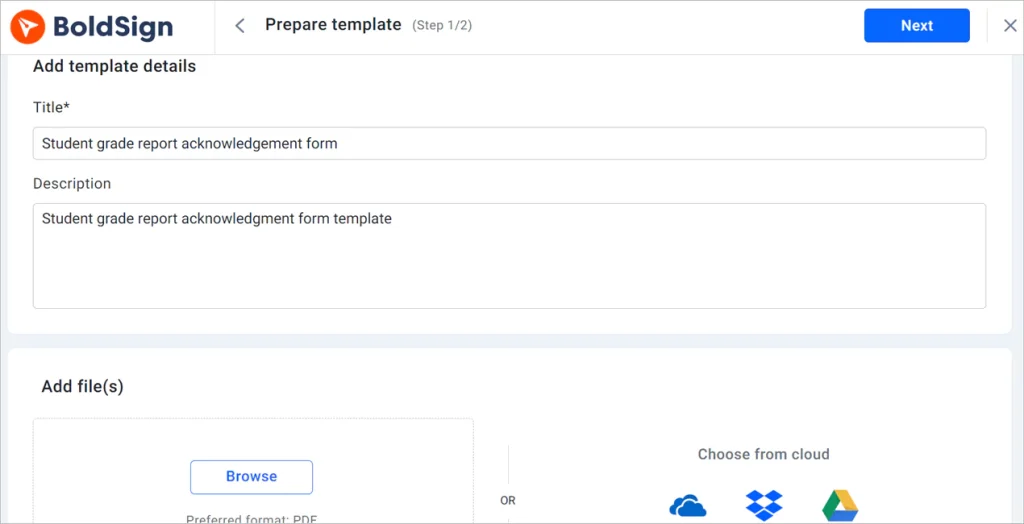
Our guide on how to save time with templates walks through the setup.
Send a report to a whole class at once
Bulk send sends one template to many families in a single step. A CSV file holds one row per family, and each family gets its own copy.
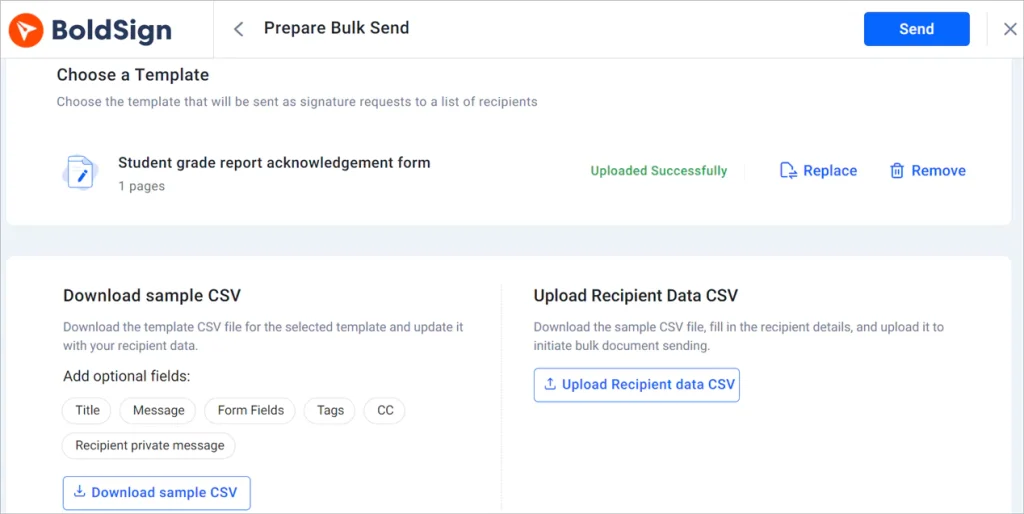
Reach families by text or WhatsApp
Besides email, you can send a request by SMS or WhatsApp, which helps when an email lands in a spam folder.
Say a field trip slip is due tomorrow and a parent has not opened the email. A text message puts the link on their phone straight away. Our help article on how to send signature requests by WhatsApp explains the setup.
Automatic reminders for late forms
Automatic reminders go out at set intervals until the report is signed. You can also select Remind now to send one straight away.
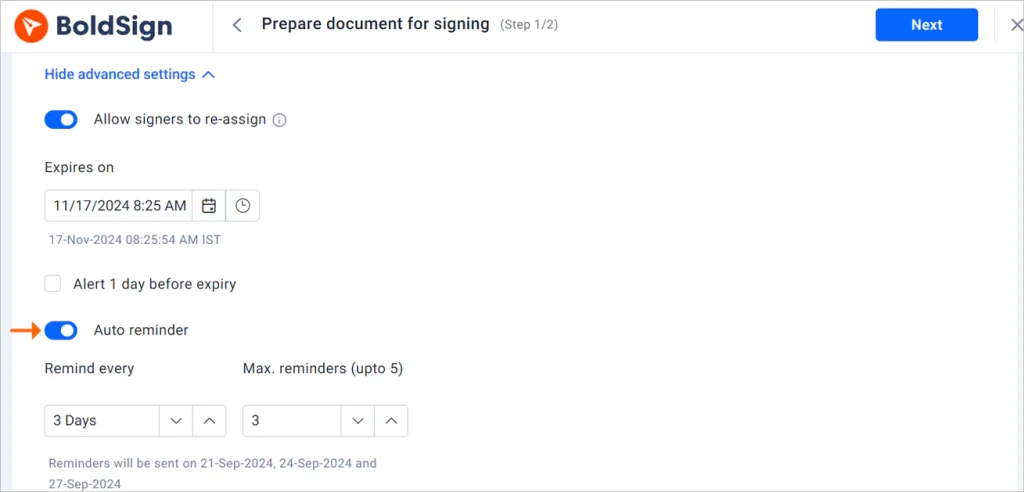
Our help article on how to manage auto reminders covers the options.
Find signed reports quickly
Document management keeps every report in one place, with its status. You can pin a group of documents to your dashboard, such as all reports for one class.
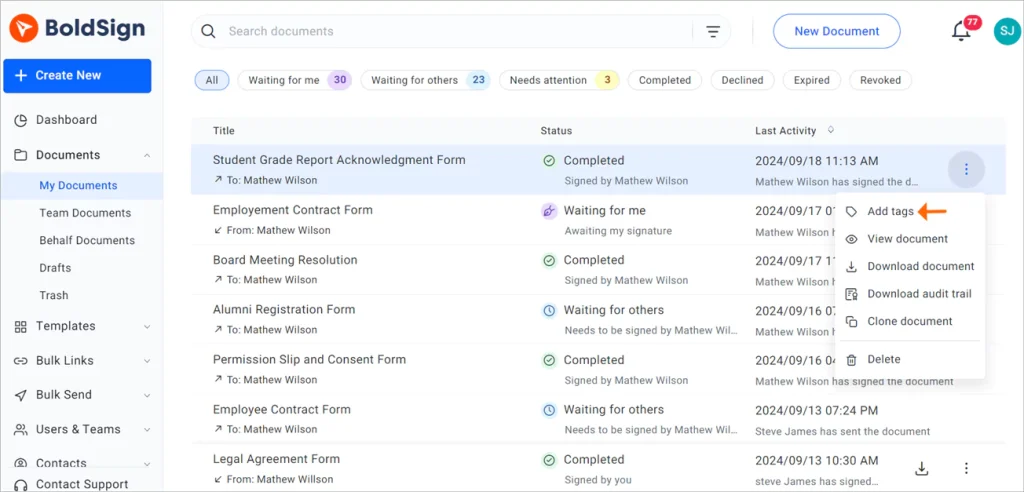
Our help article on how to pin a document to the dashboard shows each step.
School branding on every request
You can add your school’s logo and colors to request emails and the signing page. Families then see a request that clearly comes from the school.
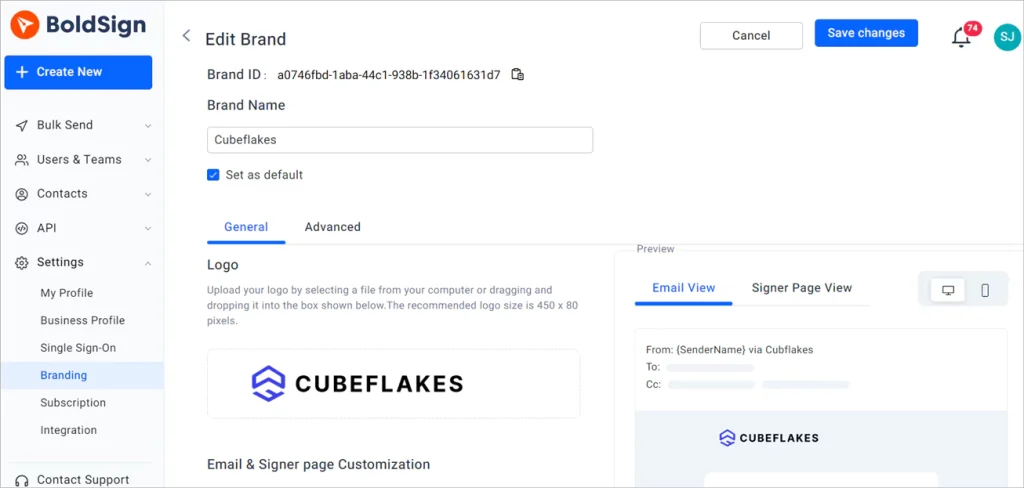
How do you confirm who signed a report?
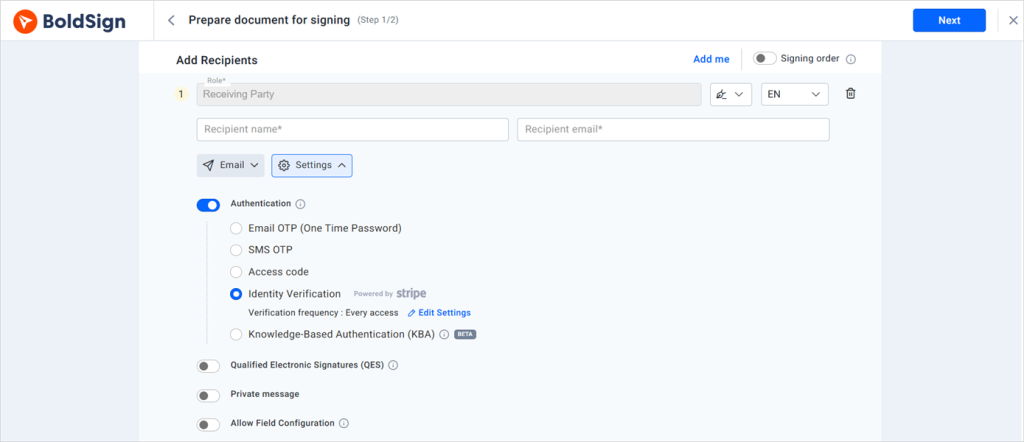
Signer authentication checks a person’s identity before the report opens. That stops the wrong person from opening a report about someone else’s child.
Choose from these checks:
- A code sent by email or SMS
- An access code you share with the family
- Knowledge-based authentication (KBA), with questions drawn from public records, for US signers
- ID verification for forms that need a photo ID check
How are student records kept secure?
We encrypt documents in transit and store them with Advanced Encryption Standard (AES) 256-bit encryption. We also hold a System and Organization Controls (SOC) 2 Type 2 audit, as our security policy explains.
Every document carries an audit trail. The trail records each action with the user, the time and the internet protocol (IP) address. The signed file and audit trail are sealed with a digital certificate, so later edits show up.
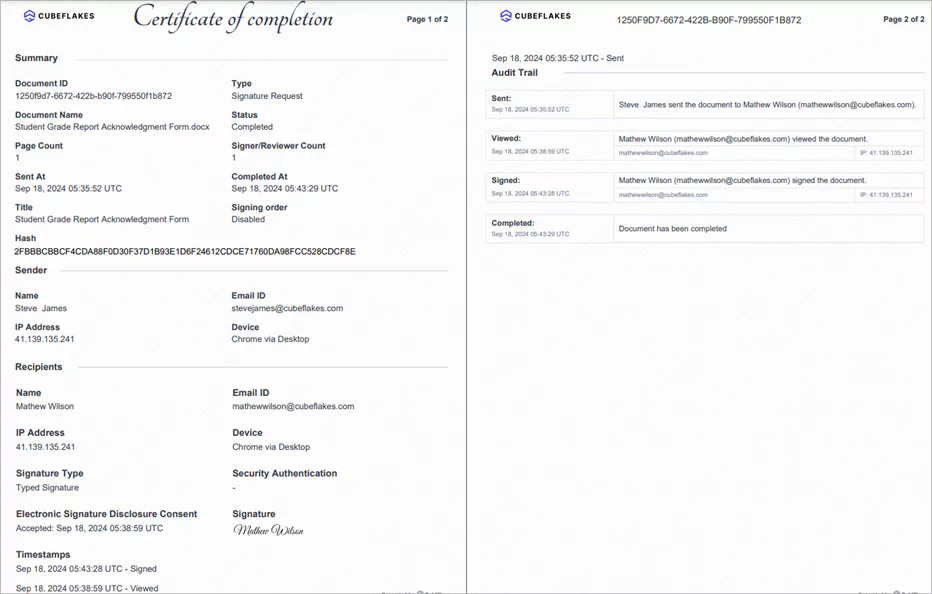
Our post on why eSignature audit trails matter goes deeper. We also follow the General Data Protection Regulation (GDPR), as our GDPR overview describes.
What does the Family Educational Rights and Privacy Act (FERPA) say about signed consent?
FERPA rules say a school needs written consent, signed and with a date, before it shares a student’s records. Some exceptions apply, as the Code of Federal Regulations (CFR) at 34 CFR 99.30 states.
Under that rule, the written consent must:
- Name the records the school may share
- State the purpose of sharing them
- Name the person or group who will receive them
An electronic signature counts when the record identifies and authenticates the signer. The record must also show that person’s approval of the consent.
The parent signs until the student turns 18 or attends a college. After that, the student signs as an “eligible student”, as 34 CFR 99.3 defines.
How does a parent sign a progress report?
Parents sign without an account or any software to install. They can sign on a computer, in a phone browser or in our mobile app.
- Open the email and select Review and Sign.
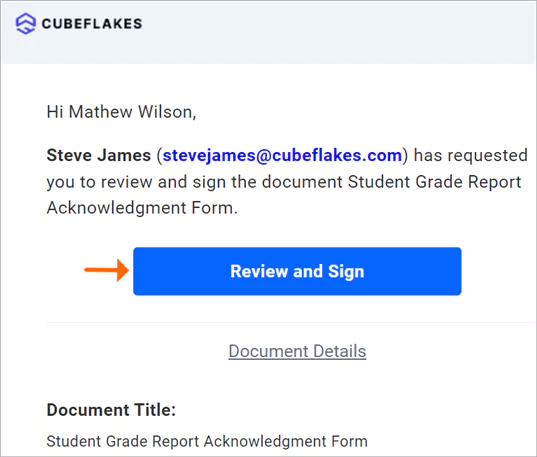
- Read and accept the electronic signature disclosure terms.
- Select Continue to open the signing page.
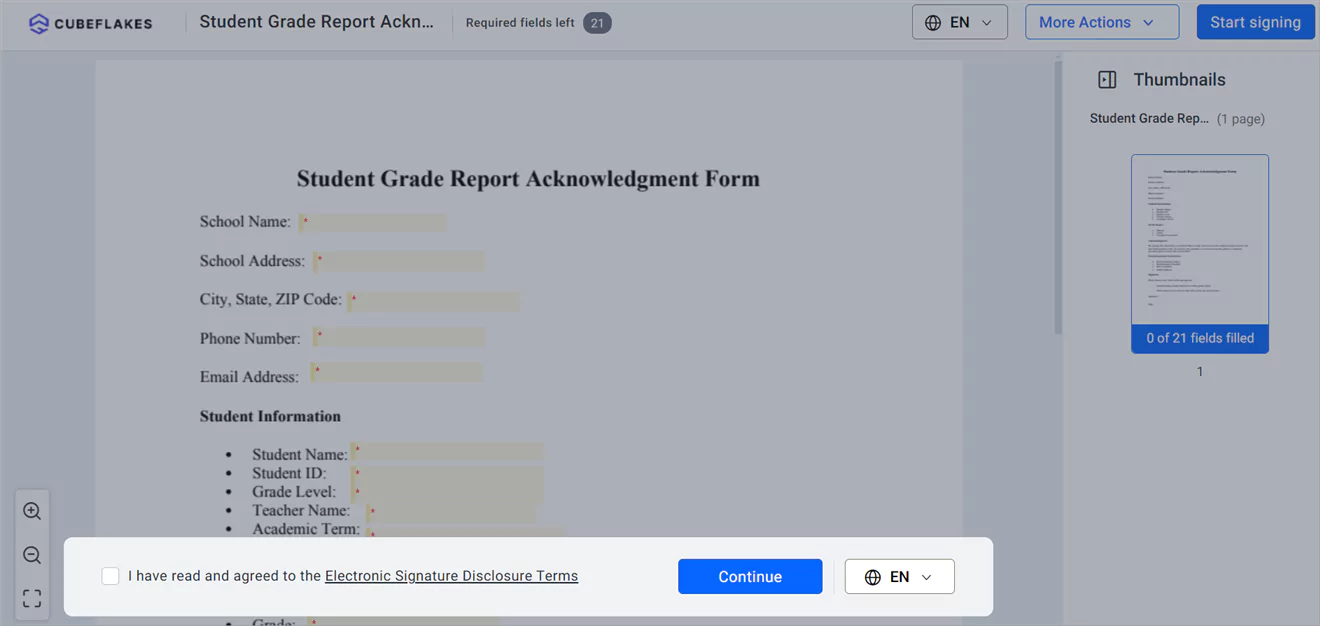
- Select Start signing, then use the next field button to move between fields.
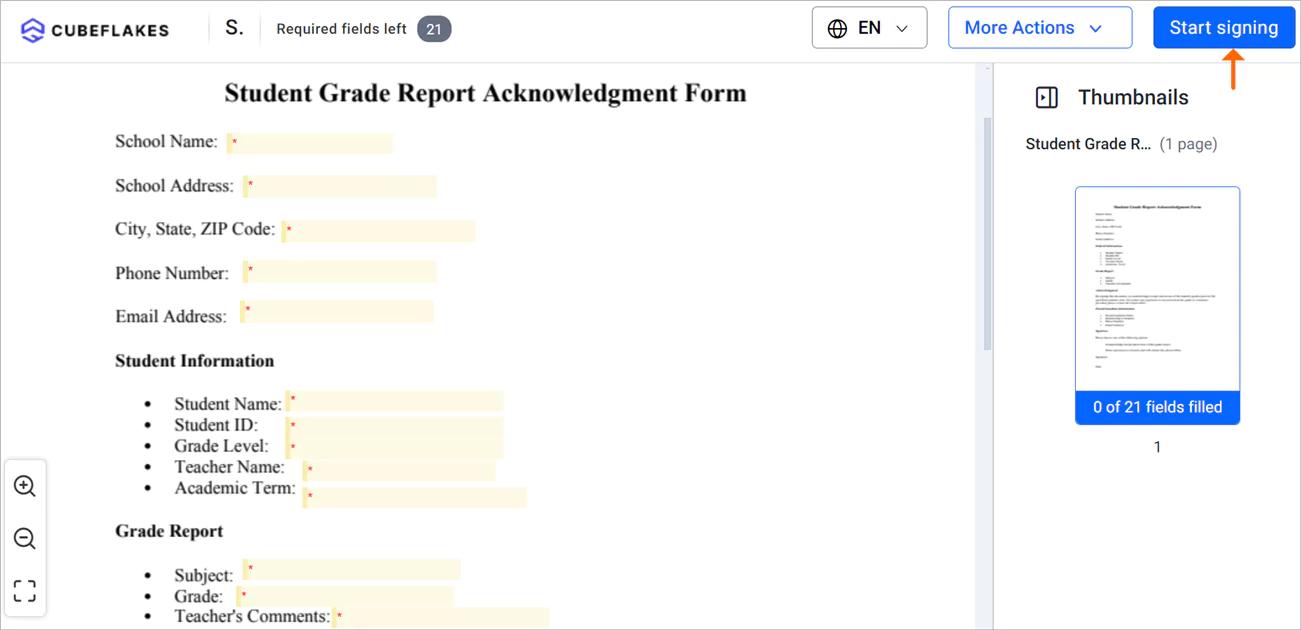
- Select Finish once every field is filled in.
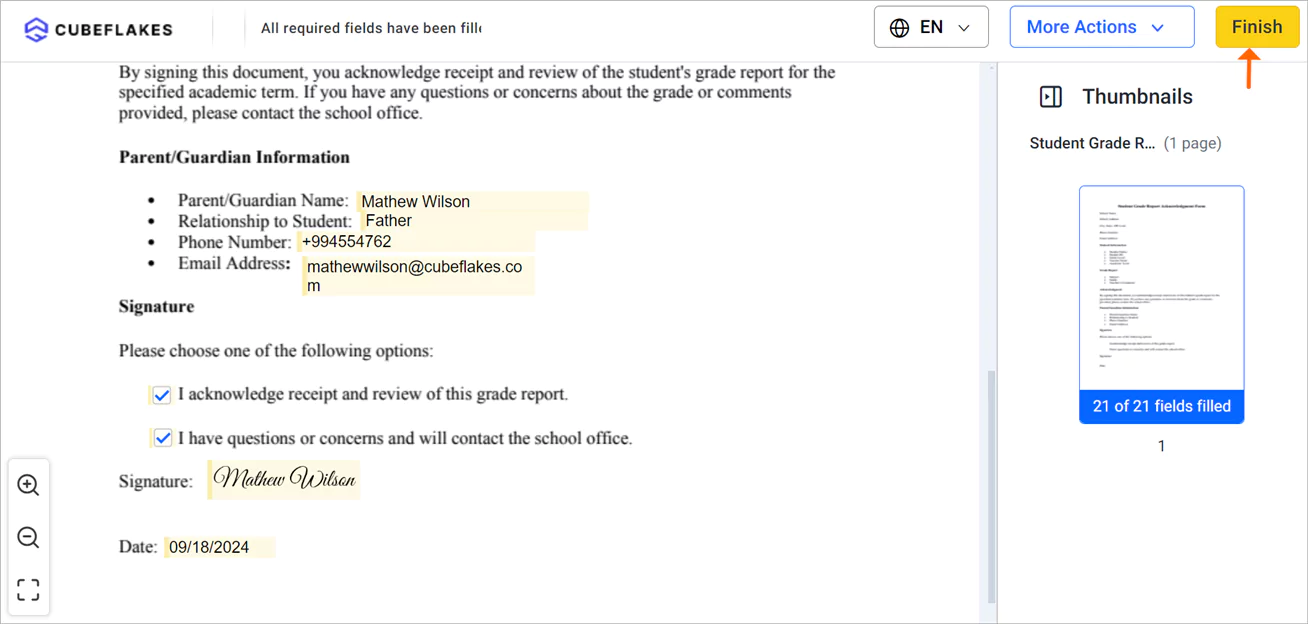
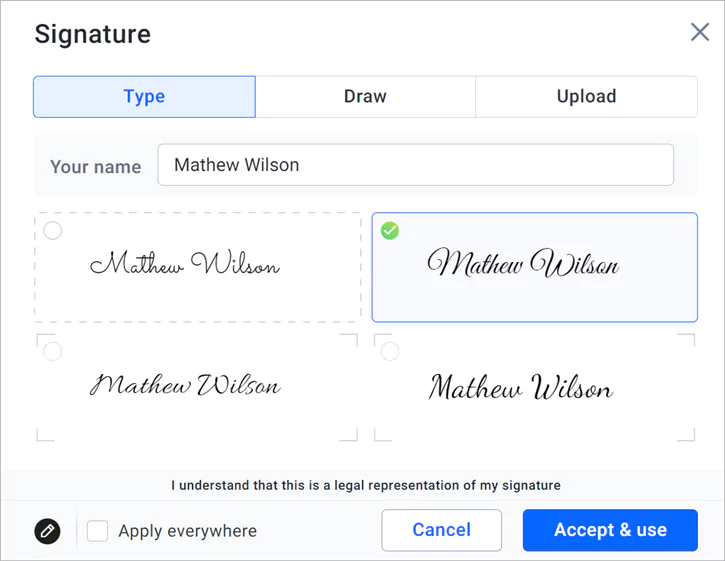
A parent can type, draw or upload a signature. Each family picks the way that feels familiar. Our help center has more signing guides.
Which BoldSign plan does a school need, and what does it cost?
The free Essential plan covers small trials, with 2 templates and 25 envelopes a month. The Growth plan costs $5 per user a month and allows 10 templates.
Neither plan includes text message or WhatsApp delivery.
Schools that send to whole classes need the Business plan, at $15 per user a month. It adds:
- Bulk send to a whole class
- Delivery by SMS (text message) or WhatsApp
- SMS codes and ID verification
- Unlimited templates and brands
WhatsApp messages cost $0.10 each on top, as our help article states.
The Premium plan costs $99 a month for unlimited users, which suits a whole school staff. All prices are in USD and billed yearly, as listed on the BoldSign pricing page in November 2026.
How do you start signing progress reports online?
Start with one class and one report template. Our guide to eSignature for schools and universities covers the wider set of school forms.
- Start a 30-day free trial and send your first report.
- Book a demo to see bulk send set up for your school.
- Visit our support portal to ask our support team a question.
Frequently asked questions
What is a signed student progress report?
A signed progress report is a report on a student's grades or growth that a parent or student signs to show they have read it. The signature gives the school a record of that acknowledgment, with the date.
Do parents need a BoldSign account to sign a report?
No. Parents and students open the request from their email or a text message and sign in the browser. Only the staff who send reports need an account.
Can parents sign a progress report on their phone?
Yes. Our signing page fits phone screens, and we also offer a mobile app for iOS and Android. A parent can type, draw or upload a signature from the phone.
How long does it take to collect signatures for a whole class?
Sending takes minutes once a template is ready, because bulk send fills each copy from a CSV file. The wait after that depends on families, and automatic reminders shorten it.
Is an electronic signature valid on a FERPA consent form?
Yes, when the electronic record identifies and authenticates the signer and shows their approval of the consent. That test comes from 34 CFR 99.30(d), part of the Family Educational Rights and Privacy Act (FERPA) rules.
Who signs a FERPA consent: the parent or the student?
The parent signs until the student turns 18 or attends a college or other postsecondary school. From then on, the student signs as an eligible student under 34 CFR 99.3.
Can a school prove who signed a progress report?
Yes. Every signed document gets an audit trail with each action, the time, and the signer's internet protocol (IP) address. The final file is sealed so later edits show up.
Does student digital contract signing work for other school forms?
Yes. The same steps suit permission slips, enrollment forms, consent forms and staff contracts. Save each form as a template once and reuse it every term.

Evans Omondi Otieno
Evans Omondi Otieno is a customer support representative and writer at BoldSign, specializing in creating clear, insightful content to help users navigate eSignature solutions. As a blog author, Evans writes well-researched articles that simplify technical concepts, helping businesses and professionals understand how to use BoldSign effectively. With expertise in technical support and content creation, he ensures users have a seamless experience and gain valuable knowledge from his articles.
More posts by Evans Omondi Otieno