Electronic Signatures for Schools and Universities: A Practical Guide
 Lakshmi Priya Soundar Rajan
TL;DR: Electronic signatures let students, parents and staff sign school forms online, from a phone or a computer. A school can send one form to a whole class at once and remind people who have not signed. Every signed copy keeps its audit trail. Our eSignature for educational institutions page shows how this works for schools.
A school office in late August has hundreds of forms to collect. There are trip consent slips, enrollment forms, housing agreements and new staff contracts. On paper, each one is printed, sent home, chased and filed by hand.
This guide explains how electronic signatures work in schools and universities. It covers which forms fit, the legal basis, how to send a form, and what it costs.
What is an electronic signature for schools and universities?
An electronic signature is a signature added to a form online, in place of ink on paper. The signer opens a link, fills in the fields and signs on screen.
Think of a paper permission slip that goes home in a backpack. A parent signs it at the kitchen table, and the child may or may not bring it back. With an electronic signature, the same slip arrives by email or text message, and the parent signs it on a phone in a minute.
The school then sees at once who has signed and who has not. Nobody has to sort a pile of slips on a teacher’s desk.
Which school and university forms can you sign electronically?
Most everyday forms in education can be signed online. They fall into two groups: forms for students and families, and forms for staff.
Forms for students and parents
- Field trip permission slips and medical consent forms
- Enrollment and registration forms
- Student housing agreements and other student contracts
- Financial aid and scholarship forms
- Signed student progress reports
Student electronic contract signing works well for housing agreements, because each student signs a personal copy from any device. Our guide to eSignatures for financial aid and scholarship forms covers that process step by step.
Forms for staff and governance
- Teacher and staff employment contracts
- Policy sign-offs and handbook acknowledgments
- Board minutes and policy approvals
- Research and vendor agreements
Are electronic signatures legal for school forms?
In the US, yes, for most forms that are part of a transaction. The Electronic Signatures in Global and National Commerce (ESIGN) Act says a signature or contract cannot be denied legal effect just because it is electronic.
The same law asks for the signer’s consent to use electronic records, when another law requires a paper notice. Some records also have their own rules. Check your state law and your institution’s policy before you move a special form online.
How do you send a school form for signature?
With the legal basis clear, the next question is how the sending works. A single form takes a few steps in the BoldSign web app.
- Select Create New, then Create New Document, and upload the form.
- Add each signer, such as a parent, with a name and email address or phone number.
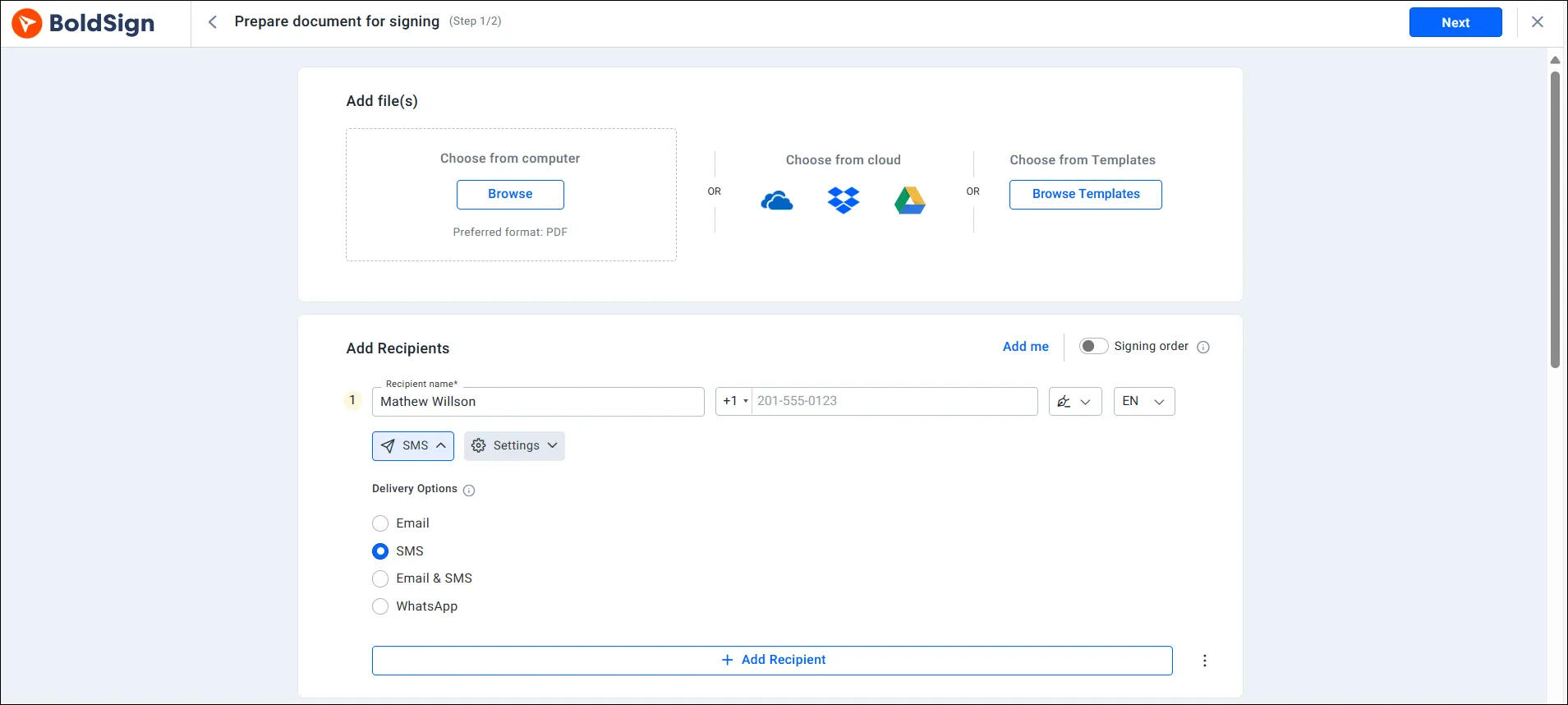
- Pick the delivery method under Delivery Options: email, SMS or WhatsApp.
- Place the signature, date and text fields on the form.
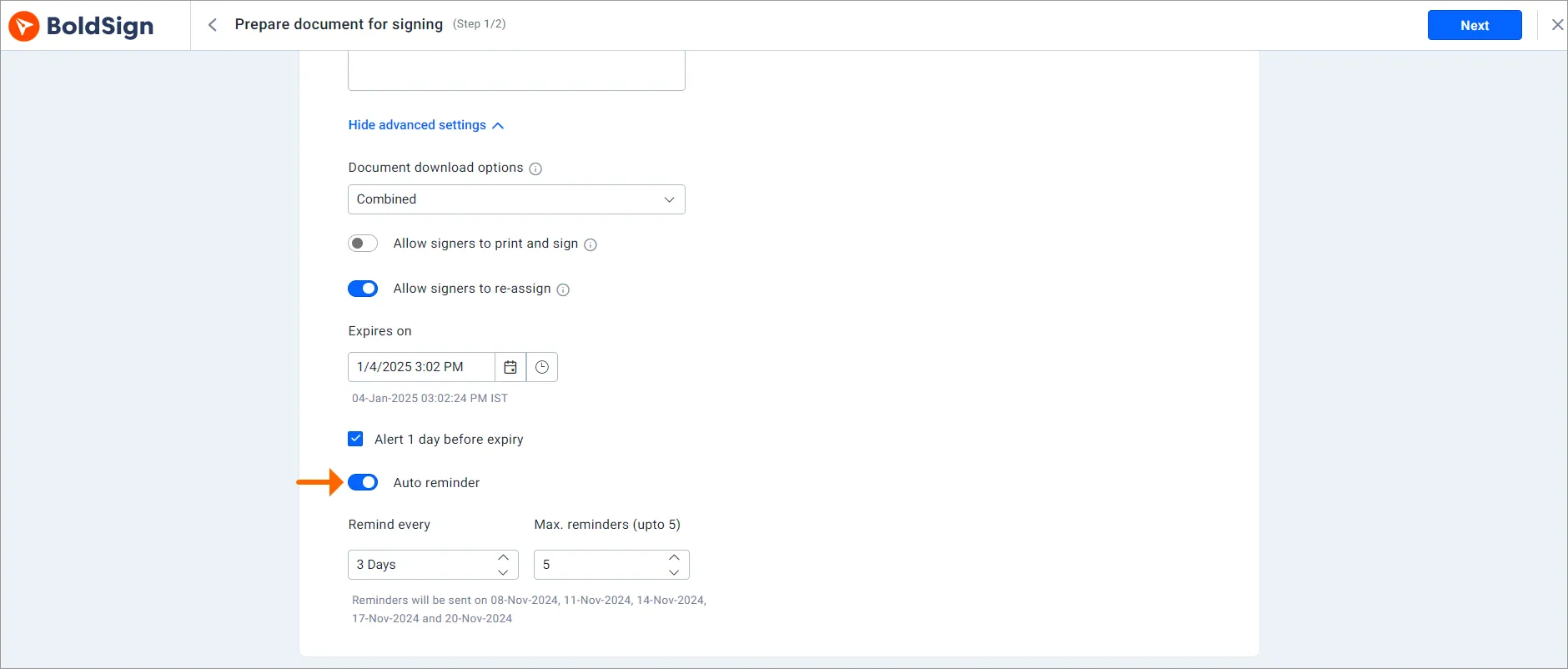
- Turn on Auto reminder under document settings, then send.
The signer selects Review and Sign in the message, agrees to the terms and selects Finish when done. Signers do not need a BoldSign account, as our help article on how to sign a document in BoldSign explains.
How does BoldSign handle high volumes of student forms?
One form at a time works for a staff contract. A permission slip for 120 students needs more, and three of our eSignature features cover it.
Send one form to a whole class with bulk send
Bulk send sends the same form to many people at once. You pick a template, upload a CSV file with one row per family, and each family gets its own copy.
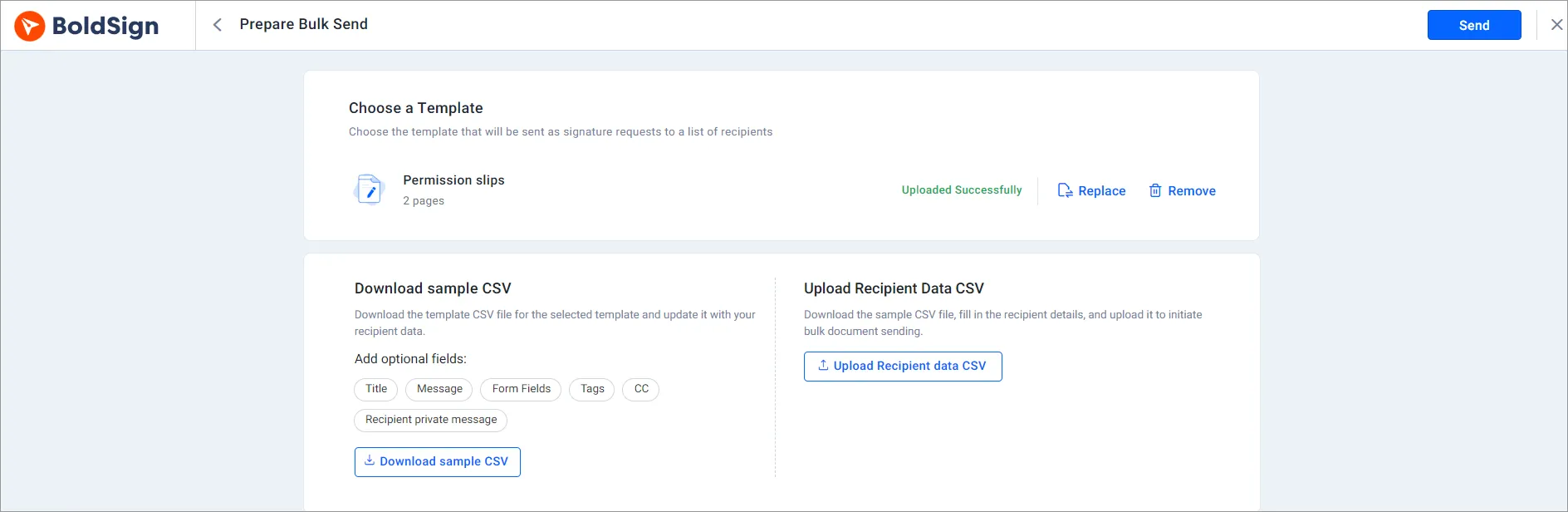
Each bulk send can reach up to 250 recipients. For a larger group, split the list into two sends.
Reuse the same form with templates
A template holds a form with its fields already placed. Staff can turn permission slips, policy sign-offs and registration forms into reusable templates and send them again each term.
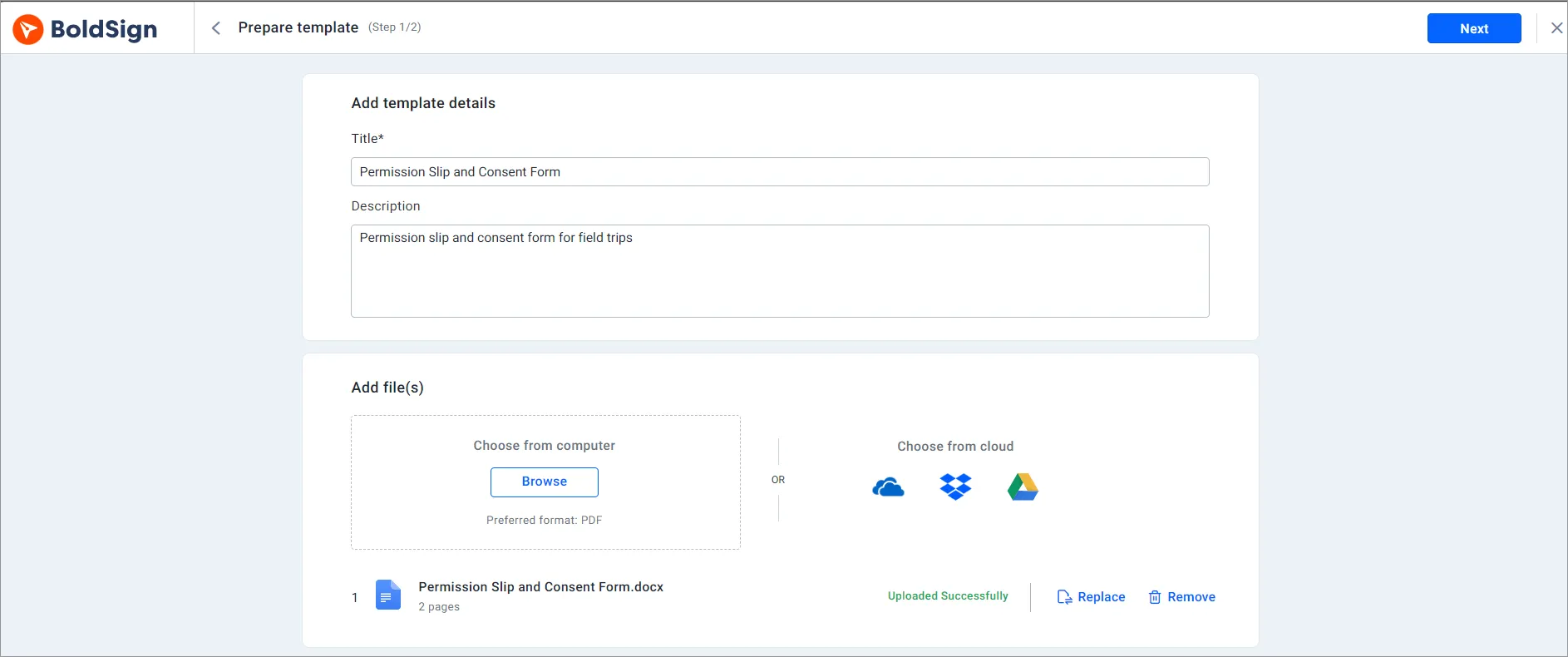
A template can also hold more than one signer role, such as a student and a parent. Each role gets its own fields to fill in.
Remind people who have not signed
Late forms are the slowest part of any school deadline. Automatic reminders go out on the schedule you set in Remind every, up to five times.
How do you reach families who rarely check email?
Reminders help only when the message reaches the parent. Many families read texts sooner than email, so the delivery channel matters too.
You can send the signing link by SMS or WhatsApp with the parent’s phone number. Families can then sign in any phone browser.
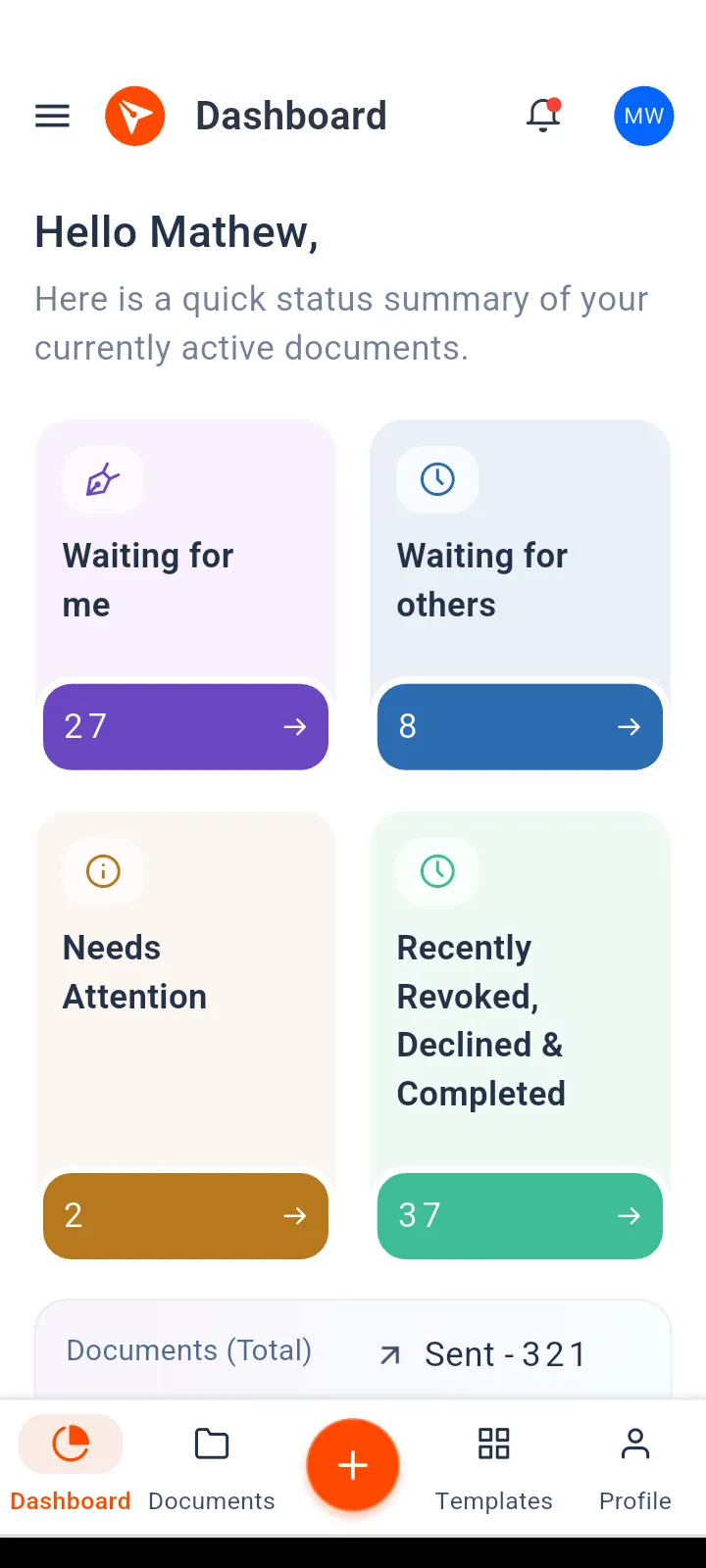
Staff can send a document from a phone with our mobile app. Our help article on how to sign a document on your mobile device covers the signer’s side.
How do you keep student documents secure and easy to find?
Sending at scale creates a lot of signed files. Schools then need to know that the right person signed, and to find each file later.
Check who is signing
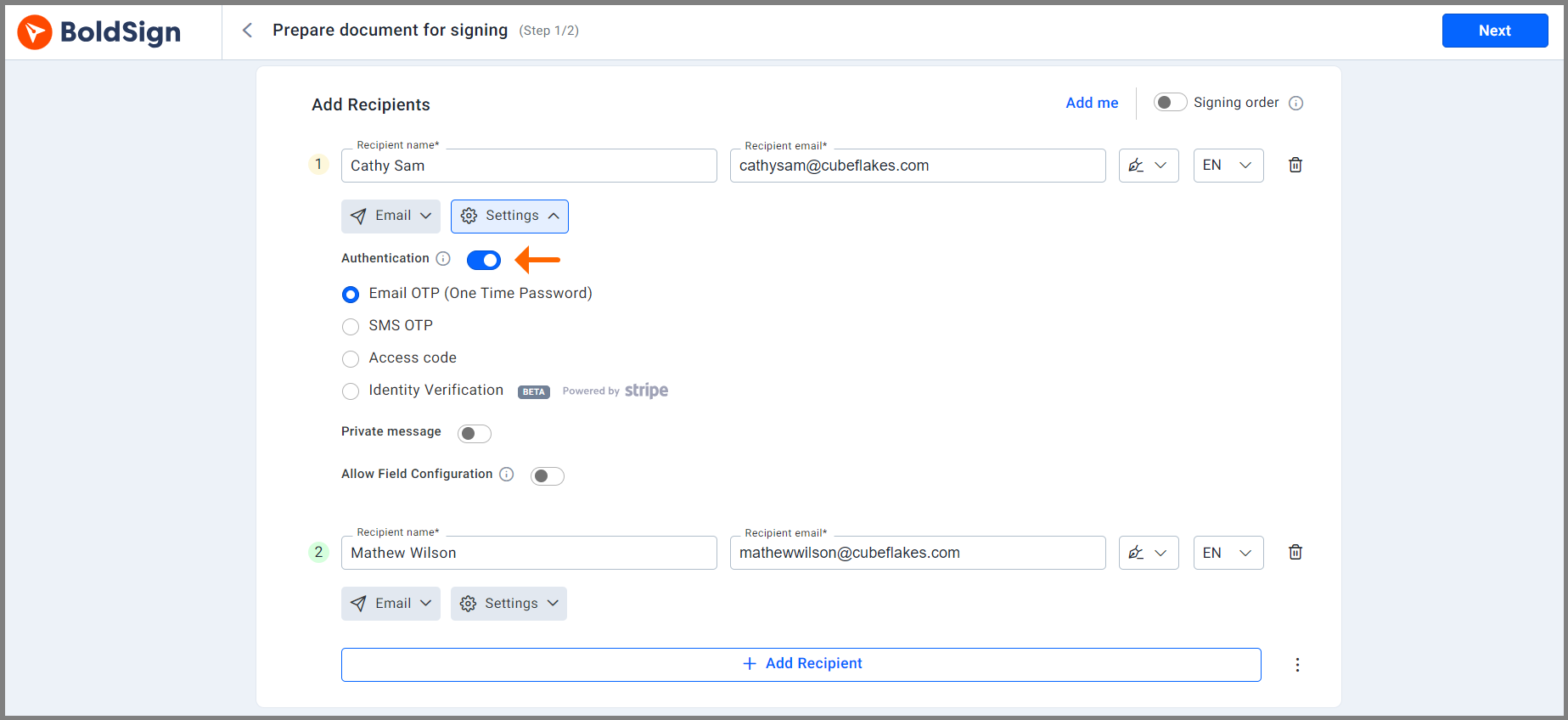
Signer authentication asks the signer for a code before they can open the form. You choose one method per signer:
- Email OTP (one-time password), sent to the signer’s email address
- SMS OTP, sent to the signer’s phone
- An access code that you share with the signer beforehand
- Identity verification with a photo ID
Keep a record of every step
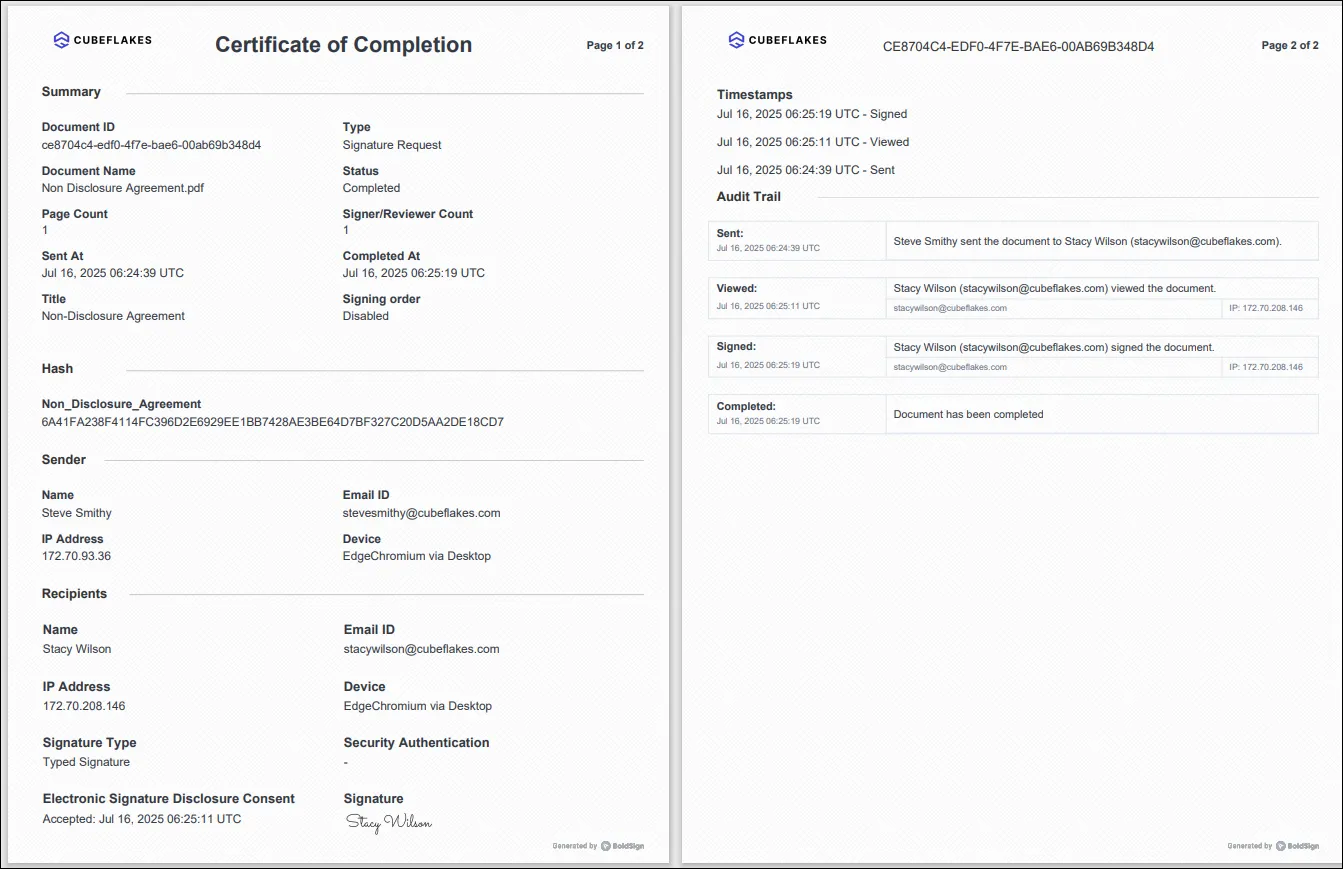
We encrypt documents at rest and in transit, and each signed document has an audit trail. It shows who signed, when, and from where.
We also meet the General Data Protection Regulation (GDPR) for schools with students or staff in the EU.
Find files with tags and filters
Add tags such as “Grade 5 trip” to each document. You can then find a document by tag, status, signer or date.
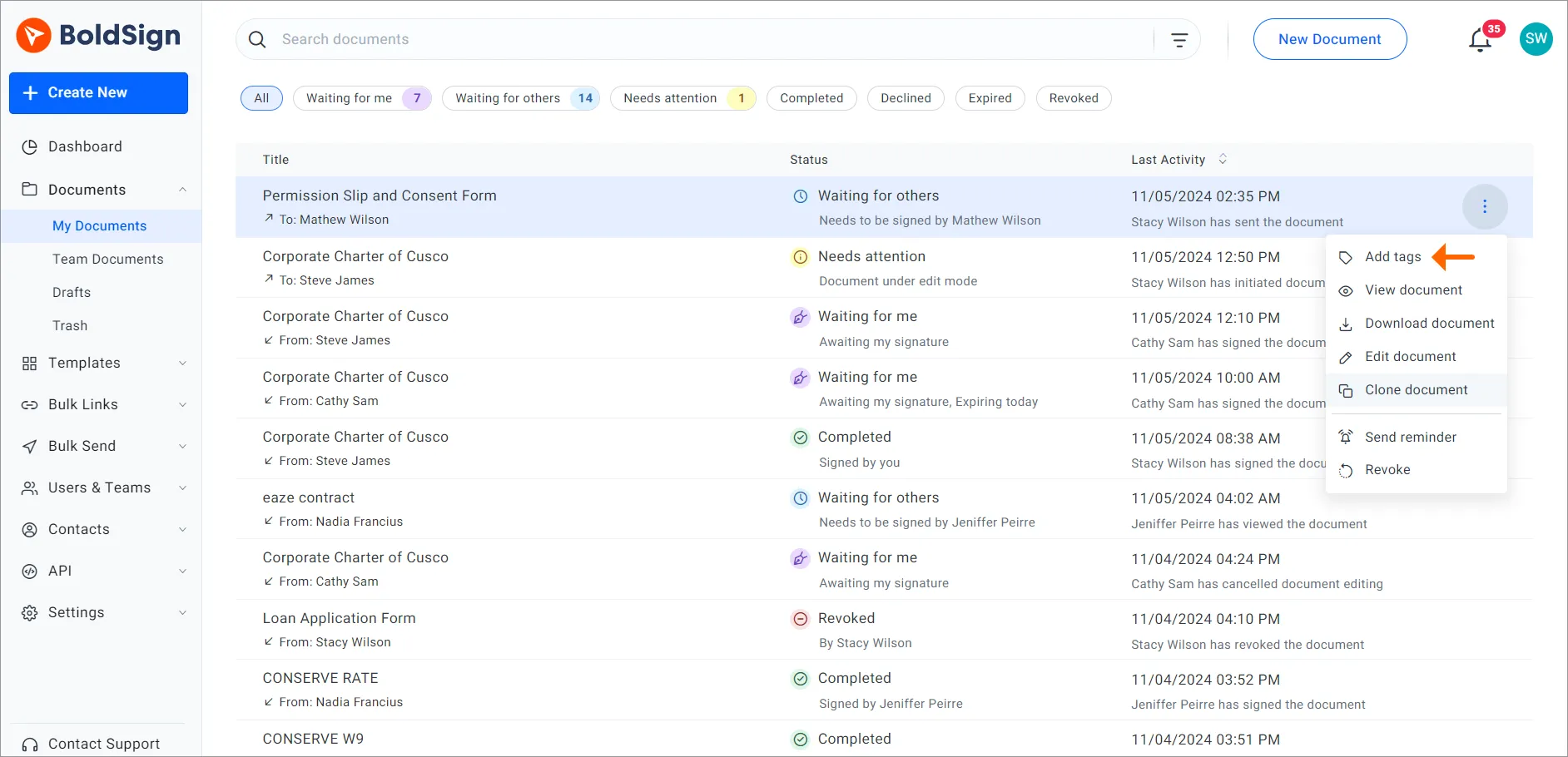
To keep an eye on one group, pin a filtered list to your dashboard.
Show your school’s name and colors
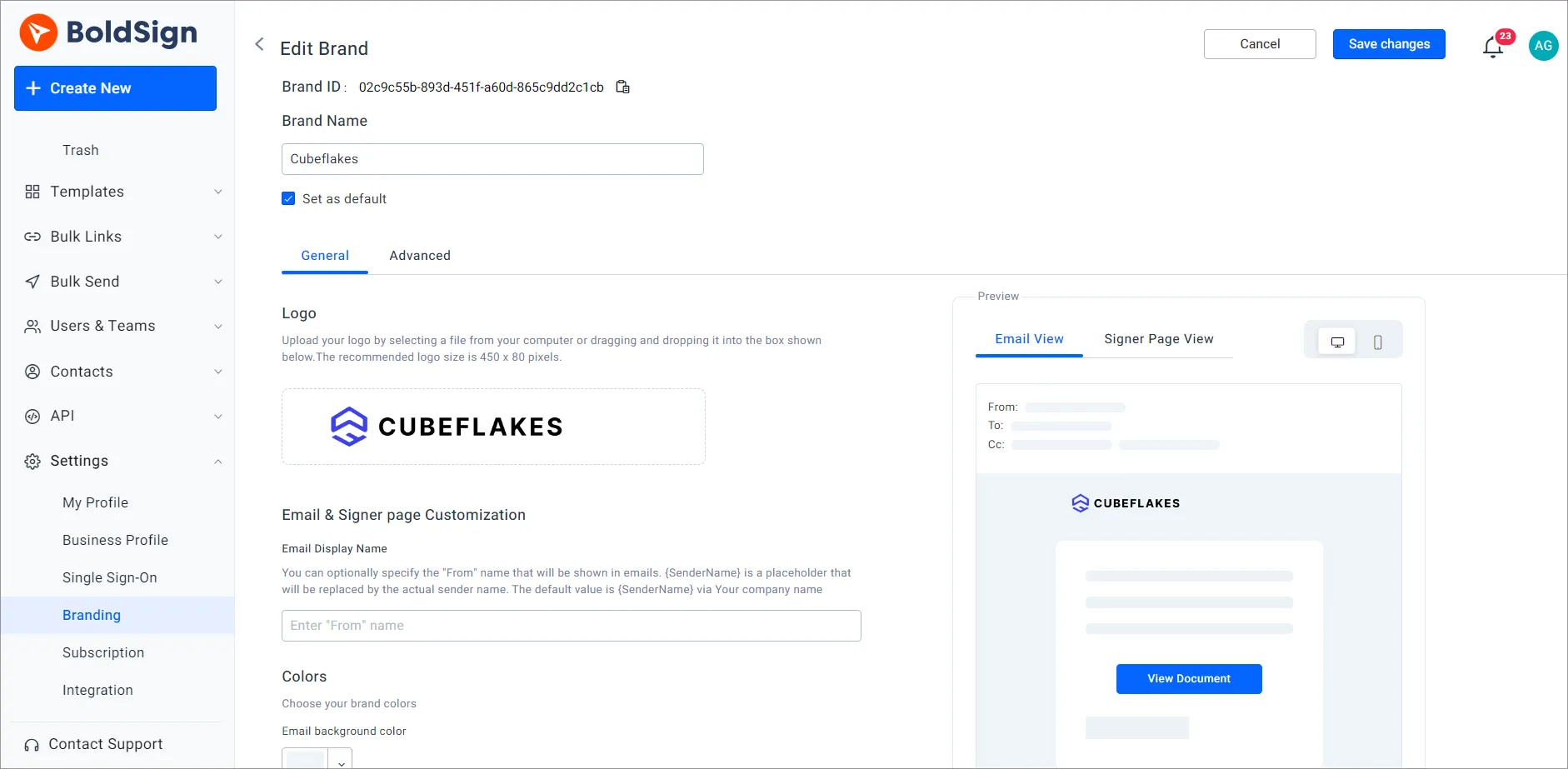
A brand adds your school logo and colors to signing emails, along with a “From” name. Parents can then see that the request comes from their school.
What should schools watch out for?
Electronic signatures speed up signing, but they do not replace every school system. Plan for these points before your first big send.
- We handle signing; we do not run admissions or act as your student records system.
- Store each signed copy in your records system when your policy asks for it.
- Accounts on free email domains, such as Gmail, need a check by our support team before bulk send works.
- Forms for minors usually need a parent or guardian as the signer.
Which BoldSign plan does a school need, and what does it cost?
Plan choice depends on how many forms you send at once. The BoldSign pricing page lists these prices in USD, billed yearly, as of November 2026.
The Essential plan is free and holds 2 templates. The Growth plan costs $5 per user a month and holds 10 templates, with 2 brands.
Both suit a single teacher or a small office that sends by email. Sending by text message needs the Business or Premium plan.
The Business plan costs $15 per user a month and adds bulk send, SMS and WhatsApp delivery, SMS OTP and ID verification. The Premium plan costs $99 a month for unlimited users and includes the same features. Each envelope sent in bulk costs $0.25 on either plan.
Verified nonprofit schools get the Growth plan free for one user, and 50% off Business and Premium. You can try the paid features first with a 30-day free trial.
How do you start using eSignatures at your school?
Start with the form that needs the most chasing, such as a trip consent slip. Our documentation covers each setting, and our support portal takes your questions.
- Start a 30-day free trial and send your first permission slip to one class.
- Book a demo to see bulk send set up for your school’s forms.
- Read our guide to permission slips and consent forms with eSignature for more ideas.
Frequently asked questions
What is an electronic signature for schools?
It is a way for students, parents and staff to sign school forms online instead of on paper. The signer opens a link, fills in the fields and signs on screen.
Do parents need a BoldSign account to sign a permission slip?
No. Parents sign from the link in the email or message we send them. They can sign in a phone browser without installing an app.
Which e-signature platforms work well for universities processing high volumes of student forms with multiple signers?
Look for a tool that sends one form to a whole list, supports several signer roles per form and reminds people who have not signed. In BoldSign, bulk send, templates with roles and automatic reminders cover that work.
How long does it take to send a form to a whole class?
Once the template exists, a bulk send takes a few minutes to set up. You pick the template, upload a CSV file of names and contacts, preview and send.
Are electronic signatures legally valid for school forms in the US?
Yes, when the form is part of a transaction the Electronic Signatures in Global and National Commerce (ESIGN) Act covers and the signer agrees to sign electronically. Some records have their own rules, so check your state and institution policy for special cases.
Can a student under 18 sign a school form electronically?
Yes, when the school's own rules allow a student of that age to sign that form. Many forms for minors need a parent or guardian signature instead, so add the parent as the signer.
Is BoldSign safe for student records?
Yes, when you use it for signing and keep the official record in your student system. We encrypt documents at rest and in transit and keep an audit trail for each document.
Does BoldSign offer discounts for schools?
Yes, for verified nonprofit schools. The Growth plan is free for one user, and the Business and Premium plans are half price for those schools.

Lakshmi Priya Soundar Rajan
Lakshmi Priya Soundar Rajan is a Technical Writer at BoldSign. With expertise in simplifying complex concepts, she contributes to the comprehensive documentation and user-friendly content at BoldSign. Lakshmi’s commitment to quality ensures users have access to clear and helpful information. Connect with her on LinkedIn.
More posts by Lakshmi Priya Soundar Rajan