How to Simplify Alumni Relations Paperwork with BoldSign eSignatures
 Lakshmi Priya Murugesan
TL;DR: Alumni offices send the same paperwork every year: event sign-ups, volunteer agreements, pledge forms and contact updates. With eSignatures, you send each form by email, alumni sign on any device, and every copy shows up on one dashboard. Our eSignature for educational institutions page shows how schools use it.
Picture the week before homecoming. You need 400 graduates to confirm their place at the reunion dinner, 20 volunteers to sign agreements, and three donors to sign pledge forms. On paper, that means printing, posting, chasing and scanning.
This guide shows how an alumni office can move that paperwork online. It covers what to send, how to send it in BoldSign and what the alumni see when they sign.
What paperwork does an alumni relations office handle?
An alumni office keeps graduates connected to the school through events, giving and news. Most of that work produces a form someone has to sign or fill in.
- Event and reunion registrations
- Volunteer and mentoring agreements
- Pledge and donation agreements
- Photo and media consent forms
- Contact and employment update forms
Think of a wedding reply card. The couple sends one design to every guest, and each guest adds a name and a meal choice. Alumni forms work the same way, with one design and many people filling it in.
Why move alumni forms to eSignatures?
Paper forms slow every step, from printing and posting to scanning and filing. Graduates live all over the world, so a posted form can take weeks to come back.
With eSignatures, a form reaches an inbox in minutes. Alumni sign on the phone they already carry, and you see who has signed without opening a single envelope.
Signed records also become easier to keep safe. Donor details and employment history sit in one secure account instead of filing cabinets and shared drives.
How do you send an alumni form for signature in BoldSign?
You upload the document, add each signer and place the fields they need to fill in. The whole send takes a few minutes.
- Select Create New, then Create New Document.
- Upload the form, for example a volunteer agreement as a PDF.
- Enter each signer’s name and email address.
- Drag signature, text and date fields onto the page for each signer.
- Select Send, or Preview first to check the layout.
Our help article on how to send documents for signature shows each screen. The dashboard then shows the status of every document you sent.
How do you collect the right details from alumni?
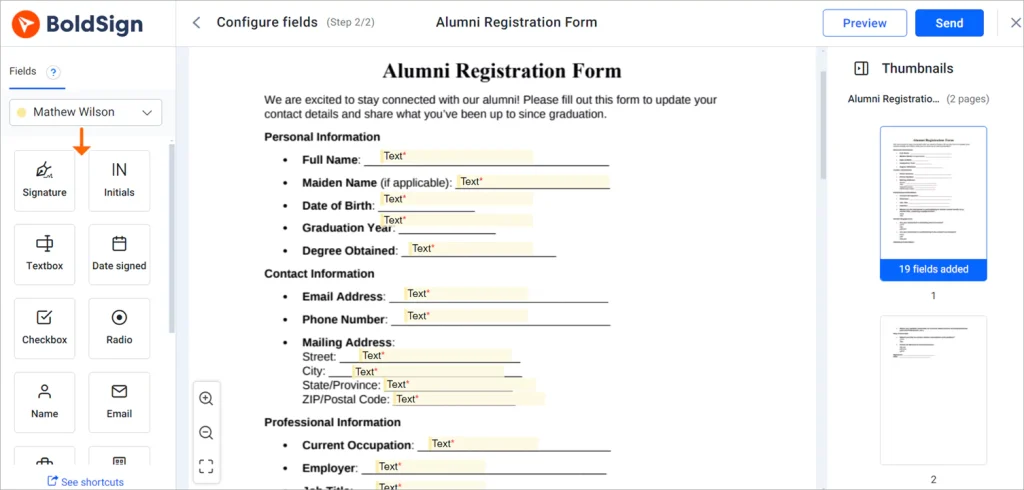
Place form fields on the document so alumni type their answers into set boxes. Required fields stop a form from coming back half empty.
We offer text boxes, checkboxes, dropdowns and other field types. A reunion form might use a dropdown for the meal choice and a text box for the graduating class.
How do you reuse the same form every year?
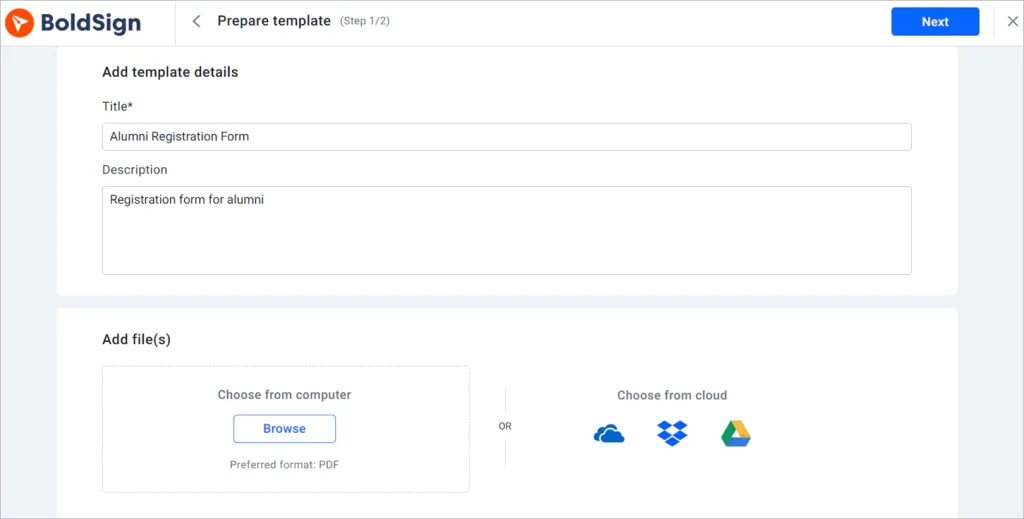
Save the form as a template once, then send it again whenever you need it. The fields, signer roles and message stay in place.
A template suits any form you send more than a few times a year. Pledge forms, event invitations and feedback surveys are good candidates. Our eSignature templates page explains how they work.
How do you send one form to your whole alumni list?
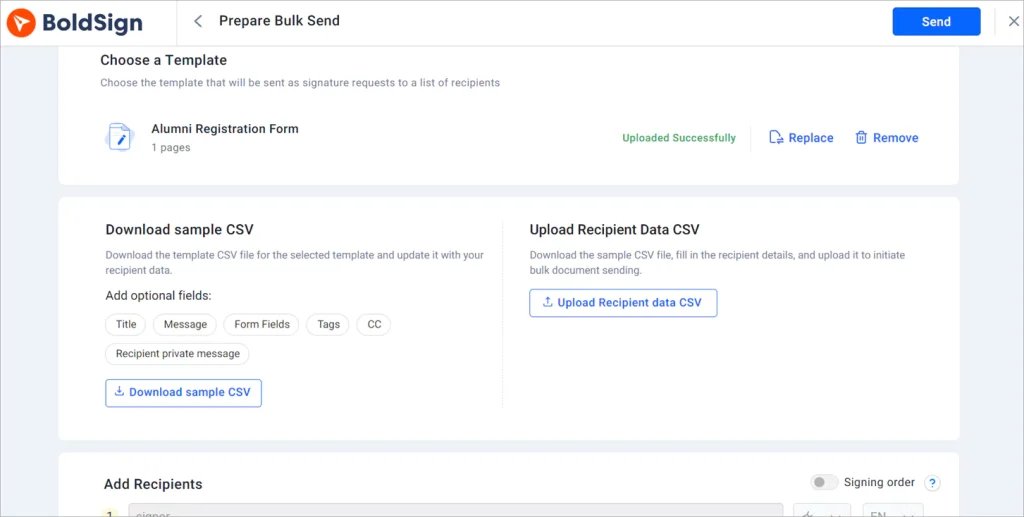
Use bulk send with a template and a CSV file that holds one row per graduate. We create a separate copy for each row, filled with that person’s details.
Download the sample CSV for your template and add each graduate’s name and email address. Upload the file, check the preview and send. Our bulk send page lists what each send includes.
Each copy keeps its own audit trail. You can see who has signed and remind everyone who has not.
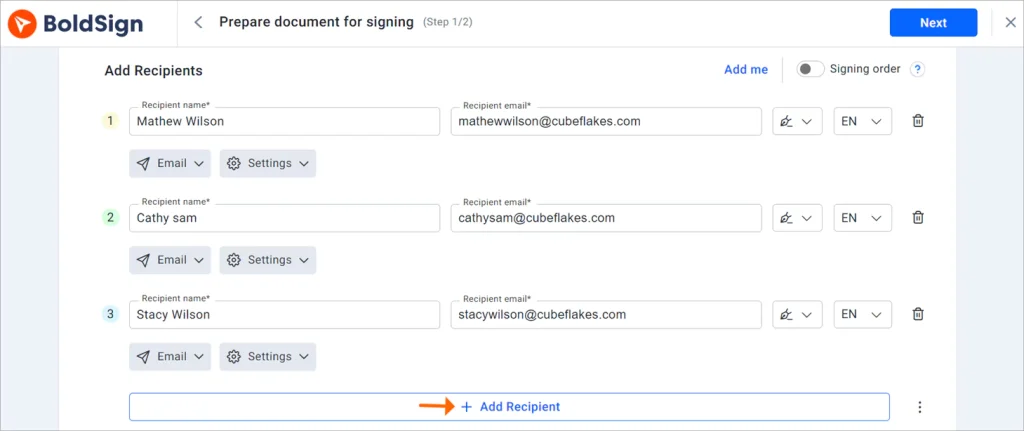
How do you route a form through several signers?
Turn on signing order when you add recipients. Each person gets the email only after the person before them has signed.
A mentoring agreement might need the graduate first, then the program lead, then the head of alumni relations. Our help article on how to set the signing order shows each step.
How do you confirm the right graduate signs?
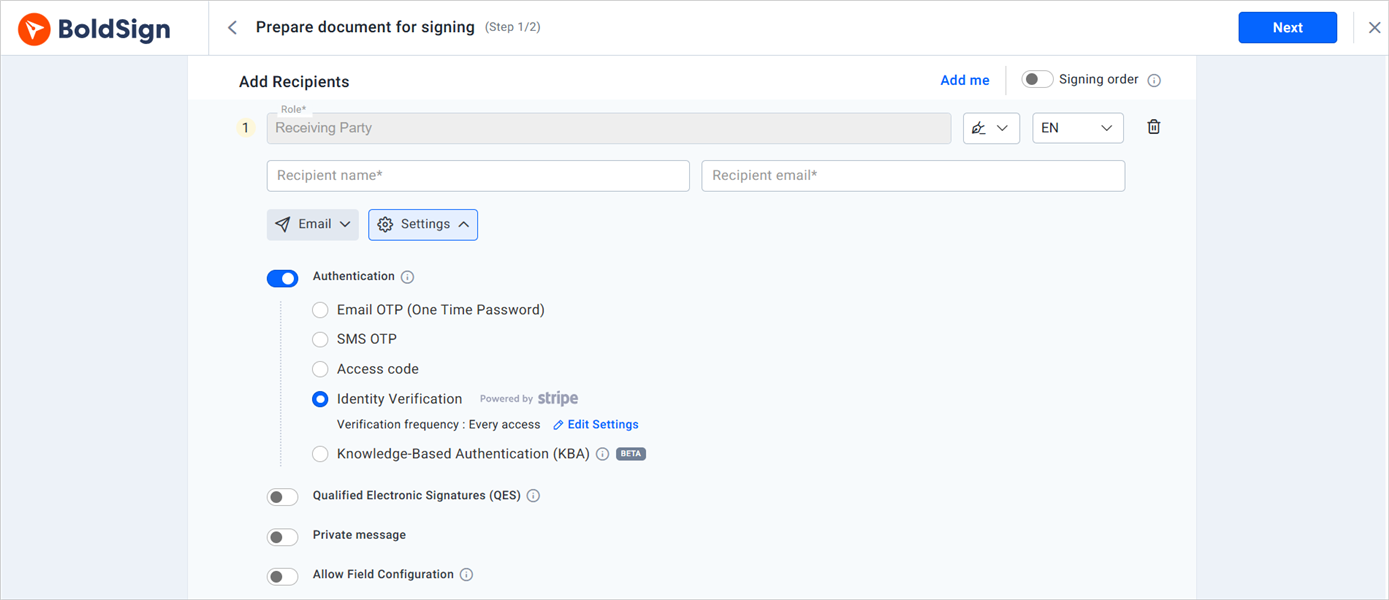
Add signer authentication so a check runs before the document opens. Match the strength of the check to the document.
- Email one-time passcode (OTP): a code sent to the signer’s inbox, for routine forms.
- SMS OTP: a code sent to the signer’s phone, for pledges.
- Access code: a code you share with the signer yourself.
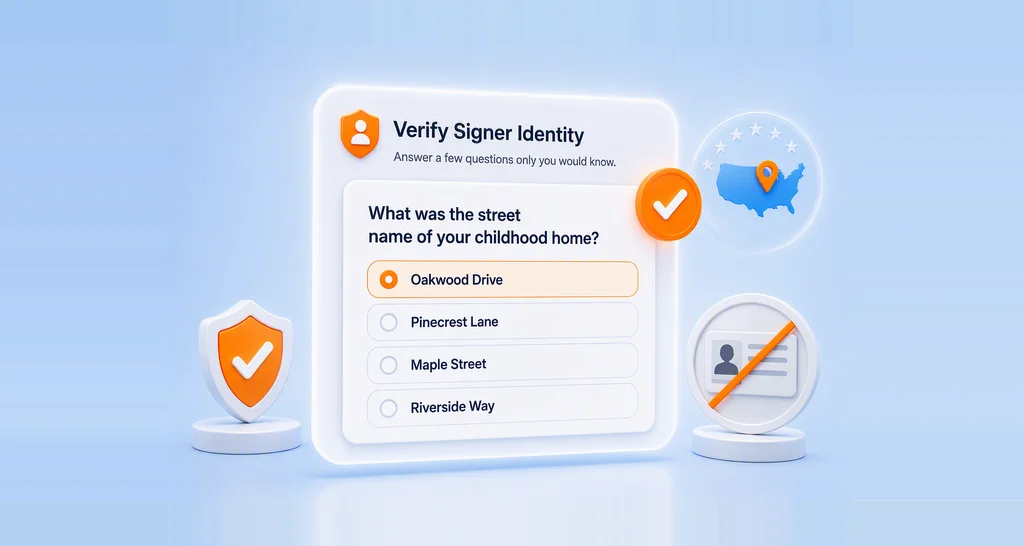
- Knowledge-based authentication (KBA): questions from public records, for US signers.
- ID verification: a photo ID matched to a live selfie.
Our guide to choosing a signer authentication method explains when each check fits.
Are electronically signed alumni forms secure and legally binding?
Yes, when the signer agrees to sign electronically and you keep the signed record. In the US, the Electronic Signatures in Global and National Commerce (ESIGN) Act gives electronic signatures legal effect.
In the EU, the electronic identification and trust services (eIDAS) regulation sets the rules. Our security policy explains how we protect your documents.
Our General Data Protection Regulation (GDPR) page covers personal data. Ask your legal counsel about special cases such as wills.
What do alumni see when they sign?
Alumni open the email, select a button and sign in the browser. They need no account or app.
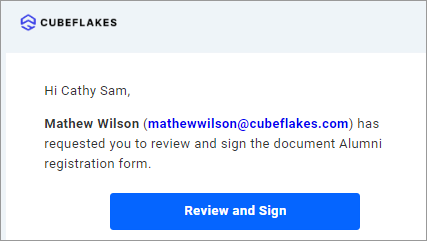
- Open the signature request email and select Review and Sign.
- Read and agree to the terms and conditions, then select Continue.
- Fill in each field on the signing page, starting with the signature.
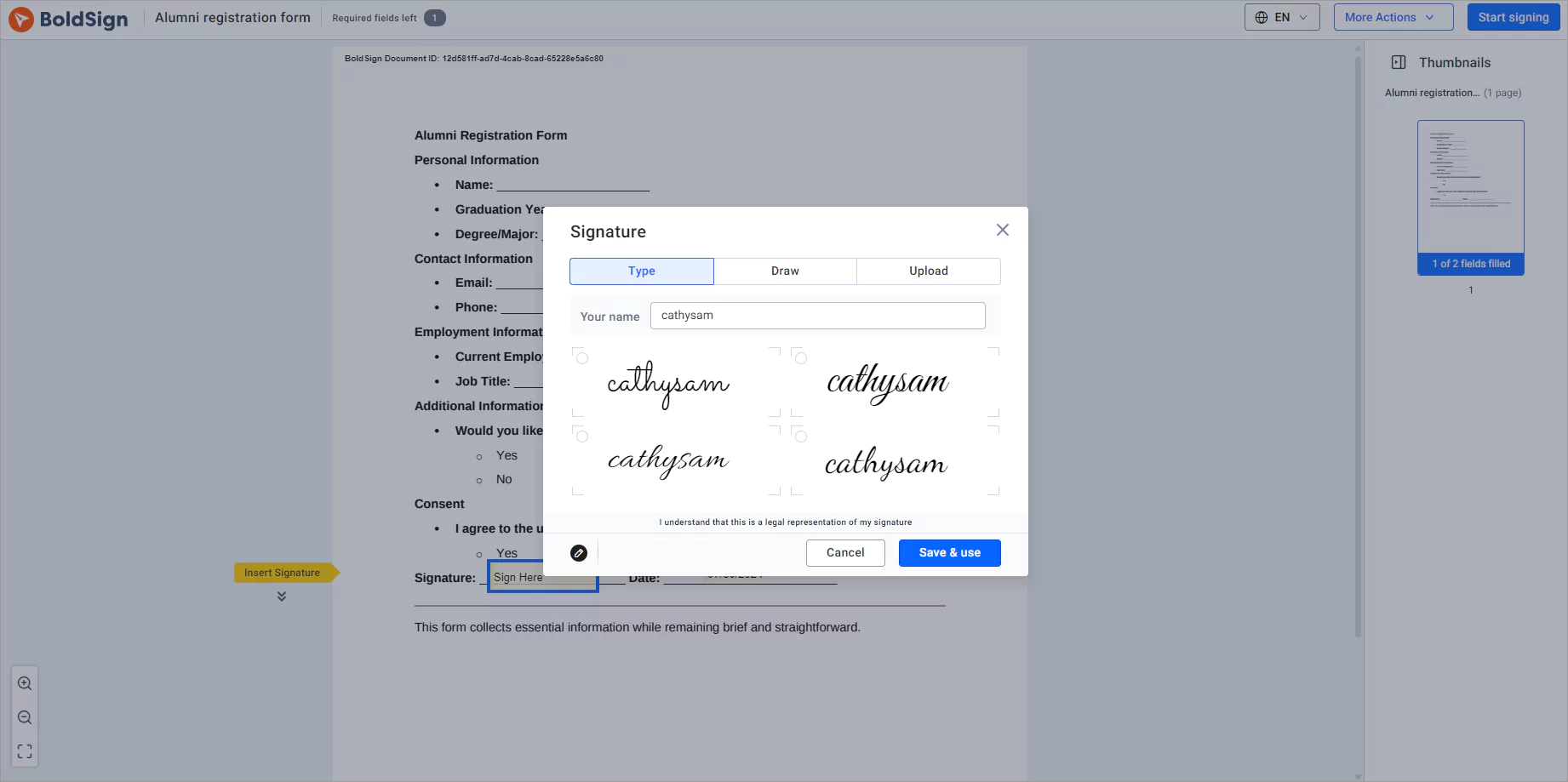
- Select Finish once every field is complete.
Alumni can also sign on a phone or tablet. Our eSignature mobile app page shows the app for staff on the move.
Which BoldSign plan and price fit an alumni office?
The free Essential plan includes 2 templates, which suits a small office testing a few forms. The Growth plan costs $5 per user a month and includes 10 templates.
Bulk send, SMS codes, KBA and ID verification start on the Business plan, at $15 per user a month. Bulk send adds $0.25 per envelope, as listed on our pricing page in November 2026.
The Premium plan costs $99 a month for unlimited users, which suits a larger alumni team. All prices are in USD and billed yearly.
How can you get started with alumni eSignatures?
Start with one form you send every year, such as the reunion registration. Turn it into a template and send it to a few colleagues first.
- Start a 30-day free trial and send your first alumni form.
- Book a demo to see bulk send set up for your alumni list.
- Contact our support team with a question about your forms.
Frequently asked questions
What documents does an alumni relations office send for signature?
Most offices send event registrations, volunteer agreements, pledge or donation agreements, photo consent forms and contact update forms. Each one repeats every year, so a saved template pays off quickly.
Do alumni need a BoldSign account to sign?
No. Alumni sign from the link in the email we send them. They can sign on a phone, tablet or computer without creating an account.
Can I send one event form to thousands of alumni at once?
Yes. Bulk send takes one template and a CSV file with a row for each person. We create a separate copy for every row, and each copy has its own audit trail.
How do I make sure the right graduate signs a pledge agreement?
Add signer authentication before the document opens. An email code suits routine forms, while an SMS code, an access code or an ID check suits pledges and agreements with personal data.
Is an electronically signed donation agreement legally binding?
Yes, when the signer agrees to sign electronically and the record is kept. In the US, the ESIGN Act says a signature cannot be denied legal effect just because it is electronic. Check special cases with your institution's legal counsel.
Can two people sign the same alumni document in a set order?
Yes. Turn on signing order when you add recipients. Each person gets the email only after the person before them has signed.
Can alumni fill in details such as their employer or class year?
Yes. You place text boxes, checkboxes and dropdowns on the document, and alumni fill them in as they sign. Required fields stop a form from coming back half empty.
How much does BoldSign cost for an alumni office?
The Essential plan is free with 2 templates. Bulk send and SMS codes start on the Business plan at $15 per user a month, billed yearly. Every paid plan starts with a 30-day free trial.

Lakshmi Priya Murugesan
Lakshmi Priya Murugesan is a Technical writer at BoldSign. She excels in creating clear, concise documentation and guides across various tech fields. Lakshmi Priya is passionate about technology, she enjoys exploring new trends and sharing her insights through blogs and articles.
More posts by Lakshmi Priya Murugesan