Top 6 BoldSign Features Our Users Rely On Every Day
 Rowan Sam Kerongo Makori
TL;DR: This post covers the six BoldSign features our users rely on most, from signer checks and audit trails to reminders. Most of them work on our free plan, and teams and text delivery need a paid plan. Our eSignature features page shows every feature in one place.
You have a contract to send today. The signer is on a phone at a job site, your manager wants to see progress, and legal wants proof of who signed. A good eSignature tool handles all three without extra work from you.
Our features page lists dozens of options, so this post narrows them to six. For a wider tour with screenshots, read our guide to the top electronic signature features for business growth.
What should digital signature software do for you?
Digital signature software should let you send a document, get it signed and prove who signed it. Everything else is there to make those three steps faster or safer.
Think of a parcel service. You hand over a box, the courier finds the right person, and you get a delivery receipt with a time on it. An eSignature tool does the same for documents: it delivers the request, checks the signer and keeps the receipt.
What are the top 6 BoldSign features?
We picked the six features below because they shape almost every document you send. Each one is listed on our eSignature features page.
1. Signer checks, audit trails and compliance
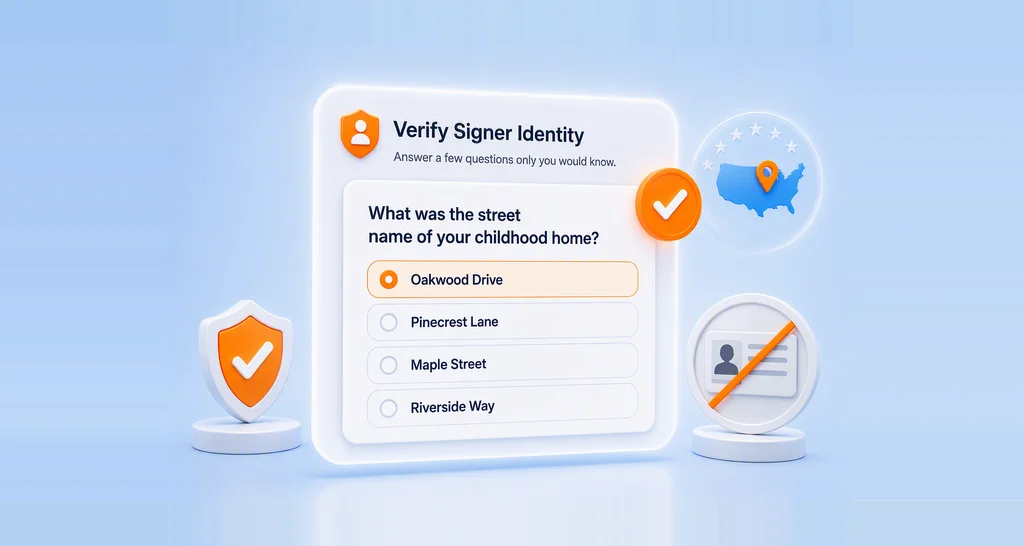
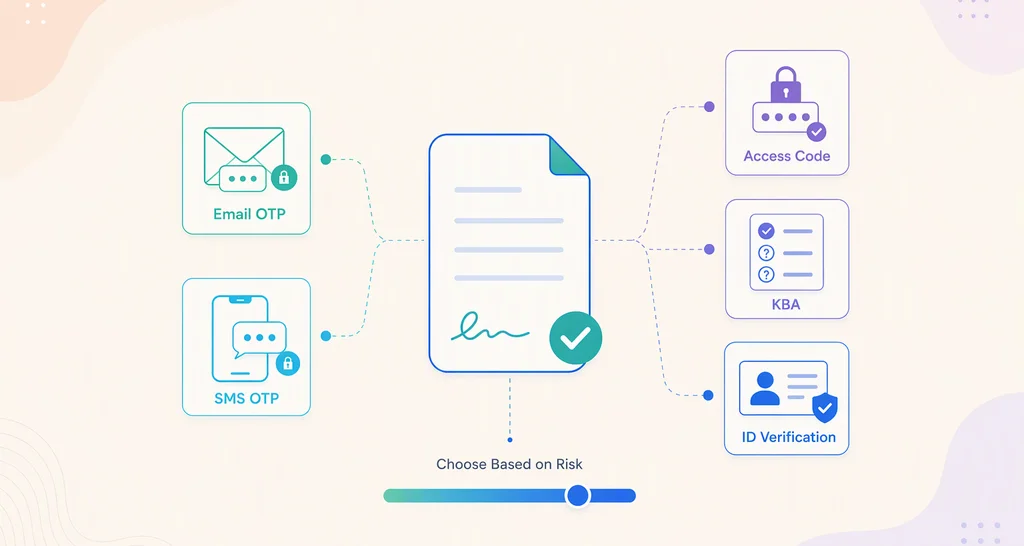
Every signer can prove who they are before they open a document, and every action lands in an audit trail. You can ask for a one-time code by email, a text message code or an access code you share yourself.
The audit trail shows the document ID, the signers and the time of each step. We follow these laws and standards:
- The US Electronic Signatures in Global and National Commerce (ESIGN) Act.
- The Uniform Electronic Transactions Act (UETA), covered on our UETA and ESIGN Act page.
- The EU electronic identification and trust services (eIDAS) regulation.
- The General Data Protection Regulation (GDPR) and the Health Insurance Portability and Accountability Act (HIPAA).
- A System and Organization Controls (SOC) SOC 2 Type 2 audit.
Card payments go through Stripe, which follows the Payment Card Industry Data Security Standard. Card details are not sent to our servers.
2. Simple sending in a set order
You upload a file, add signers and place fields in a few steps. Users on G2 give us 4.7 out of 5, and many reviews mention how easy BoldSign is to use.
You can upload PDF, Word, Excel or image files, or import them from cloud storage. Signer routing collects signatures in a set order, all at once, or a mix of both. A private message gives each signer instructions that the others cannot see.
3. Your brand on every request
Branding puts your logo, colors and sender name on the emails and signing pages your signers see. Signers recognize the request as yours, so they are less likely to stop and question it.
You can keep several brands in one account and pick one per document, or set a default. Our eSignature branding page shows how to create a brand and preview it before you save.
4. Teams, roles and permissions
Team controls let you invite users, group them into teams and give each person a role. Admins see the documents their team members send on the Team Documents page.
Custom permissions give a user access beyond their standard role, for example to cover a lead who is away. When someone leaves, you can deactivate their account or transfer their documents to a colleague. Our post on team collaboration in BoldSign walks through the set-up.
5. Delivery by email, SMS or WhatsApp
You choose how each signer gets your request: email, SMS, email and SMS at once, or WhatsApp. Signers who live on their phone see the link in a text or chat instead of a busy inbox.
SMS and WhatsApp reach phone numbers in 26 countries. Every channel shares one document list and the same audit trail. See our multi-channel delivery page for the limits of each channel.
6. Live tracking and reminders
Each document shows its status as signers act, and reminders nudge anyone who has not signed. You can set automatic reminders on a schedule or send one by hand when a document stalls.
The dashboard groups documents by status, such as Waiting for others, Needs Attention and Completed. Our help articles explain how to track a document and how to send reminders manually. You can send one manual reminder a day for each document.
How do you set these features up in a new account?
Start with the features that touch every document, then add the ones your team needs.
- Create your brand and set it as the default.
- Choose the signer checks you want for routine and high-value documents.
- Set automatic reminders for the documents you send.
- Invite your team, create teams and assign roles.
- Add SMS or WhatsApp delivery for signers who rarely check email.
Which BoldSign plan includes each feature, and what does it cost?
Signer checks by email, audit trails, branding and reminders work on every plan. Team collaboration and roles and custom permissions need the Business or Premium plan.
So do SMS delivery, WhatsApp delivery, text message codes and HIPAA support. These prices come from the BoldSign pricing page, billed yearly in USD:
- The Essential plan is free for one user, with 25 envelopes a month, 2 templates and 1 brand.
- The Growth plan costs $5 per user a month, with 50 envelopes a month and 2 brands.
- The Business plan costs $15 per user a month, with unlimited envelopes, unlimited brands and team controls.
- The Premium plan costs $99 a month for unlimited users and 250 envelopes a month.
On the Business plan and higher, SMS costs $0.20 per SMS and WhatsApp costs $0.10 per message. HIPAA support needs a yearly plan.
Where can you try these features next?
Sending a real document is a good way to judge a feature. Pick the step that fits your team.
- Start a 30-day free trial and send your first branded request today.
- Book a personalized demo to see these features set up for your documents.
- Contact our support team with a question about any feature.
Frequently asked questions
What is digital signature software?
It is an online tool that lets people sign documents without paper. You upload a file, mark where each person signs and send it. The tool records every step in an audit trail.
What are some free web based alternatives to signature?
A free eSignature plan lets you sign in a browser instead of printing and scanning. Our Essential plan is free for one user, with 25 envelopes a month and 2 templates.
Are BoldSign signatures legally binding?
Yes, when the signers agree to sign electronically and the record is kept. We follow the US ESIGN Act and UETA and the EU eIDAS regulation, and every document gets an audit trail.
Can I send a BoldSign request by text message?
Yes. You can pick SMS, email and SMS, or WhatsApp for each signer on the Business plan or higher. SMS costs $0.20 per SMS and WhatsApp costs $0.10 per message.
How many brands can I create in BoldSign?
The Essential plan includes 1 brand and the Growth plan includes 2. The Business, Premium and Enterprise API plans include unlimited brands.
How often can I send a manual reminder?
You can send one manual reminder a day for each document. A manual reminder does not change the automatic reminders you set up.
Can I move a user's documents when they leave the team?
Yes. An admin can transfer a departing user's documents to someone else before deleting the account, so open contracts keep moving.
Is there a free trial of the paid BoldSign features?
Yes. We offer a 30-day free trial with access to core eSignature features, and no credit card is required. Trial limits depend on the plan and the email domain you sign up with.

Rowan Sam Kerongo Makori
Rowan contributes to the BoldSign blogs and helps the articles team. He is passionate about writing high-quality and informative content. His interests include reading books, writing, and exploring.
More posts by Rowan Sam Kerongo Makori